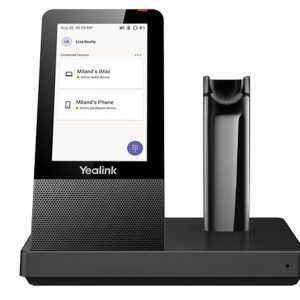
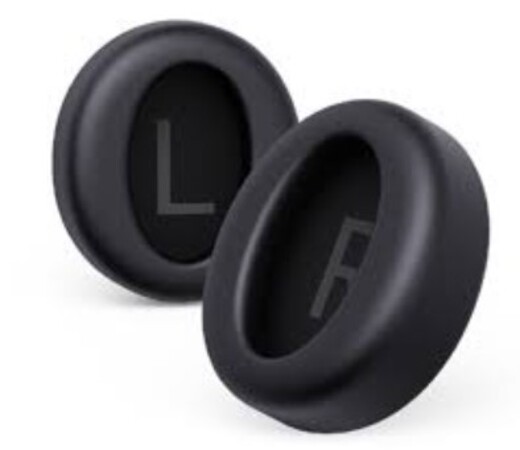
Yealink Black Ear Cushion for BH76 Plus (1 Pair) YHA-LEC-BH76P-1
Over-ear to On-ear
How to Replace Ear Cushion
Use your fingers to disassemble the headset and over-ear cushion
Remove the over-ear cushion from the headset
Align the on-ear cushion with the headset
Press the headset and on-ear cushion tightly
More Information
Manufacturer
Yealink
Warranty
12
Optional Accessories
Available exclusively from Go Tech Deals – Melbourne-based tech retailer offering fast Australia-wide delivery
TP-Link SM6220-1M Omada 1 Meter 25G SFP28 Direct Attach Cable, Up to 1 m Distance, Support data rate of 25Gbps and 10Gbps, Compatible with 25G SFP28
Yealink 11.6' Extended Touch Control Panel, includes 7m Cat5E Cable, POE Power Adapter, Wall and Desk Mount Bracket
Mtouch-E2 Touch Control Panel, includes 7m Cat5E Cable, 1.2m USB-C to USB-C/HDMI, Wall Mount Bracket
LG 86 86UL3J 4K IPS 330NITS 1MIL1 DYNAMIC CR WEBOS 6.0 DIGITAL SIGNAGE PANELS
Ubiquiti AI Pro Enhancer NHU-AI-Pro-Enhancer,White, Long-range IR LED, Floodlight, Radar Detection Accessory For AI Pro, Weatherproof
Yealink YHC20UC-USB-C Controller Microsoft Teams button for UH36, USB-C
Yealink WMB-T53/4, Wall Mount Bracket for Yealink T53 / T53W, T54W, Black, WMB-T53/T53W/T54W
LG 65 65UH5N PRO 4K 500NITS WEBOS 28PCT HAZE DIGITAL SIGNAGE DISPLAY
Yealink WHB670 Replacement DECT Base with Touch Screen for WH67 MS and UC Headsets 


There are no reviews yet.