-
×
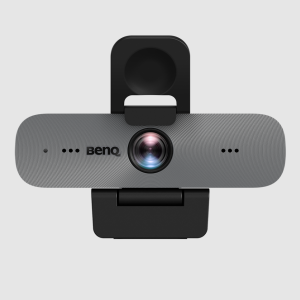
 BENQ GENERAL MOUNTING KIT FOR DV01K
1 × $69
BENQ GENERAL MOUNTING KIT FOR DV01K
1 × $69
Subtotal: $69 (incl. tax)
8 in stock
PRESS IT 360 ALL IN ONE WEB CONFERENCING SYSTEM -360 CAMERA MIC AND SPEAKER
$2,585 inc GST
8 in stock
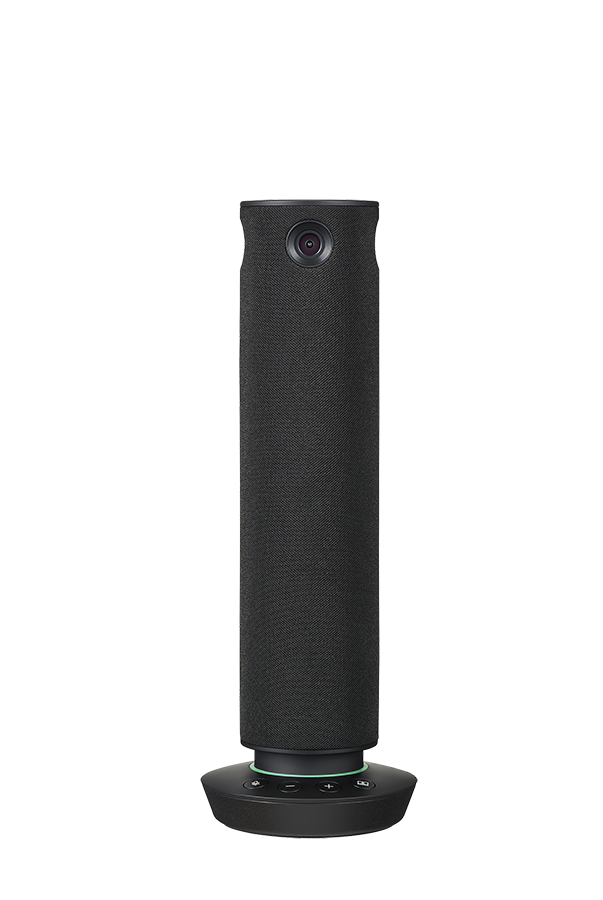
PressIT360 is the all-in-one web conferencing system with high-performance 360-degree camera mic and speakers supporting a hybrid working environment that connects online with offline.
Simply connect the camera microphone and speakers in one unit to a computer with a USB Type-C hereafter referred to as USB-C cable. No time is needed to prepare and set up equipment so meetings can be started smoothly.
Only one USB-C is needed to connect to a PC.
Video and audio data can be sent to your PC with a single USB-C. Since the terminal integrates a camera microphone and speakers there is no need to prepare separate equipment.1
1&65306;For connection to a USB-C port of a PC capable of supplying 5V/3A of power. It can also be connected using an AC adapter. When using the USB-C to USB-C alone volume is limited compared to when using the AC adapter.
Volume control muting and video mode selection can be intuitively operated using buttons on the control panel of the main unit. The LED ring also informs the user of the operating status by color. You can check whether the microphone is on or off etc. at a glance.
Four cameras capture 360-degree horizontal images so when placed in the center of a conference room participants at any seat can be seen in high quality and realistic images. The microphone also cover a wide 360-degree horizontal area and can recognize voices from a radius of up to five meters. The system also features echo and noise cancellation and volume equalization which automatically adjusts to make it easier to hear participants eliminating the sound trouble that can be a challenge in web conferencing. The system supports natural communication with people participating in a conference at a distance by collecting and amplifying clear sound.
The original performance may not be achieved depending on the conference system used Internet connection speed and bandwidth.
Five different video modes allow meetings to proceed with the camera layout best suited for communication. For example by using Multi view a green bar indicating the speaker is lit on the PC of the remote worker making it easy to recognize the speaker. Remote work participants will be able to read the expressions on the office side of the room and know when to speak up.
Focus on the person speaking is automatically optimized according to the volume of speech and the length of the utterance. Focus may be delayed or not performed depending on the situation.
Diameter 64 mm2.52 height 285 mm11.23 weight approx. 950 g2.1 lbs..
The slim shape and seamless fabric netting create a discreet appearance that is unobtrusive even when placed in the center of a conference table. The camera captures the participants faces at an optimal angle of incidence without overlapping with the computer so you can concentrate on the discussion without worrying about the equipment.
Laptop for business
– Windows Lenovo Thinkpad L15 15.6 inch HP250 G8 15.6 inch Dell Vostro 15.6 inch
– Mac MacBoo
Part Number
PA-TY-CSP1
Available exclusively from Go Tech Deals – Melbourne-based tech retailer offering fast Australia-wide delivery